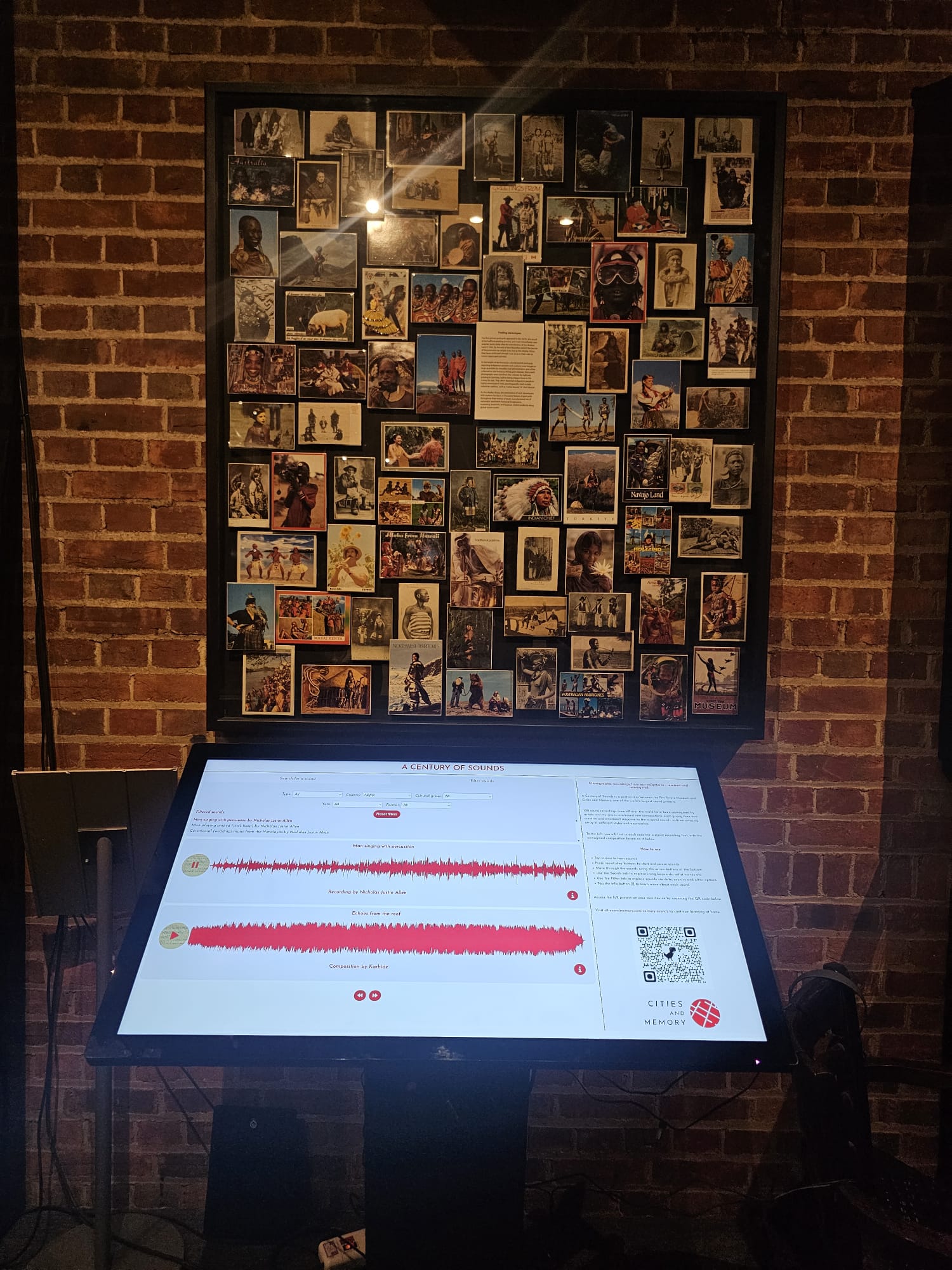
Building the "Century of Sound" Audio Player: Web & Museum Kiosk Deployments
Sound archives bridge the past and the present, but they only come alive when they are accessible. For the Century of Sound project by Cities and Memory—a massive sound art initiative mapping a hundred years of global soundscapes—the challenge wasn’t just compiling the recordings. It was designing an audio player that could perform flawlessly in two wildly different environments: an online interactive website and a physical, high-traffic touchscreen kiosk running inside a museum exhibition.
This article details how we designed the dual-deployment architecture, built a resilient playback engine in JavaScript, and tailored the user experience for both web browsers and physical spaces.
The Architecture: One Core Engine, Two Deployments
To avoid maintaining two completely separate codebases, we built a modular audio engine using vanilla JavaScript and the Web Audio API.
graph TD
    A["Core Audio Engine<br>(Web Audio API / State Machine)"] --> B["Web App Deployment<br>(CDN Assets, Lazy Loading)"]
    A --> C["Museum Kiosk Deployment<br>(Local Assets, Auto-Reset, Large Touch Targets)"]
The playback logic was wrapped in a strict state machine to prevent overlapping audio states—a common bug when users click rapidly.
- State Machine states:
IDLE$\rightarrow$LOADING$\rightarrow$PLAYING$\rightarrow$PAUSED$\rightarrow$STOPPING. - Event handling: Every touch or click goes through an event mediator, preventing multiple plays of the same audio node.
1. Designing for the Web: Streaming and Compatibility
The online version of the Century of Sound player had to serve users globally, meaning we had to design for variable bandwidth and cross-browser quirks.
- Asset Optimization: We used dual-format encoding (Ogg Vorbis for compatible browsers and high-bitrate MP3 as a universal fallback) to serve clean audio at low file sizes.
- Autoplay & AudioContext Unlocking: Modern browsers block audio from playing until a user explicitly interacts with the page. We designed a clean, user-friendly “Enter Exhibition” splash screen to capture the first click, programmatically initializing and unlocking the browser’s
AudioContext. - Dynamic Pre-buffering: The player pre-loaded metadata (durations, titles) instantly, but held off downloading the full audio payload until a user hovered or tapped on a specific track card, saving significant bandwidth.
2. Designing for the Museum Kiosk: Resiliency and Kiosk Mode
Deploying web software onto a physical hardware kiosk in a museum introduces completely different constraints. The device is expected to run 24 hours a day, 7 days a week, without human intervention or browser crashes.
// A simple auto-reset idle timeout helper for kiosks
let idleTimer;
const IDLE_LIMIT = 90000; // 90 seconds of inactivity

function resetIdleTimer() {
    clearTimeout(idleTimer);
    idleTimer = setTimeout(returnToHomeScreen, IDLE_LIMIT);
}

function returnToHomeScreen() {
    // Stop all active audio nodes
    audioEngine.stopAll();
    // Reset visual player states and redirect back to splash/screensaver
    router.navigate('/splash');
}

// Attach listeners to interactive elements
window.addEventListener('touchstart', resetIdleTimer);
window.addEventListener('click', resetIdleTimer);
To optimize the kiosk for museum visitors, we implemented several key updates:
Offline-First Asset Delivery
Museum basements and galleries are notorious for unstable Wi-Fi. We configured the kiosk version to run completely offline. All audio files and UI assets were bundled locally on the hardware and served via a local web server, ensuring zero-latency playback and elimination of buffering spinners.
Tactile & Accessible UX
Museum visitors range from young children to elderly patrons. We stripped down the visual complexity:
- Large Touch Targets: Custom-styled controls with a minimum hit target size of
72px x 72pxto prevent mis-clicks on capacitive screens. - Disabled Browser Gestures: Prevented default browser behaviors like pinch-to-zoom and double-tap-to-zoom via CSS (
touch-action: manipulation) and viewport meta tags. - Auto-Reset Idle Timer: If a visitor walks away mid-playback, a background timer detects 90 seconds of inactivity, fades out the audio, resets the play history, and returns the kiosk to an animated screensaver state.
Memory Leak Prevention
Over weeks of continuous operation, minor JavaScript memory leaks can build up and crash the browser. We wrote a strict cleanup lifecycle that garbage-collected audio buffers, detached event listeners, and destroyed audio elements between plays.
The Kiosk in the Museum
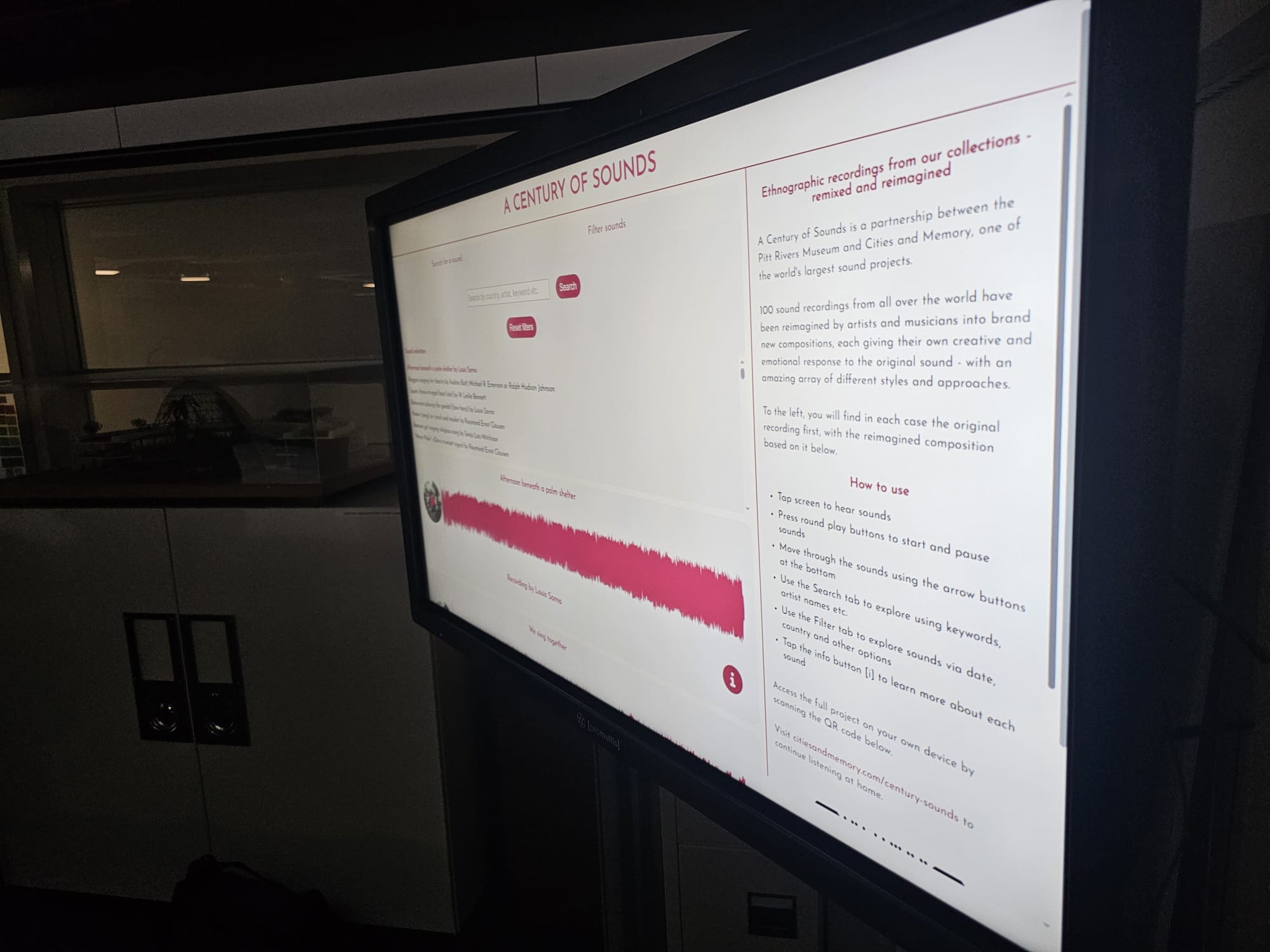
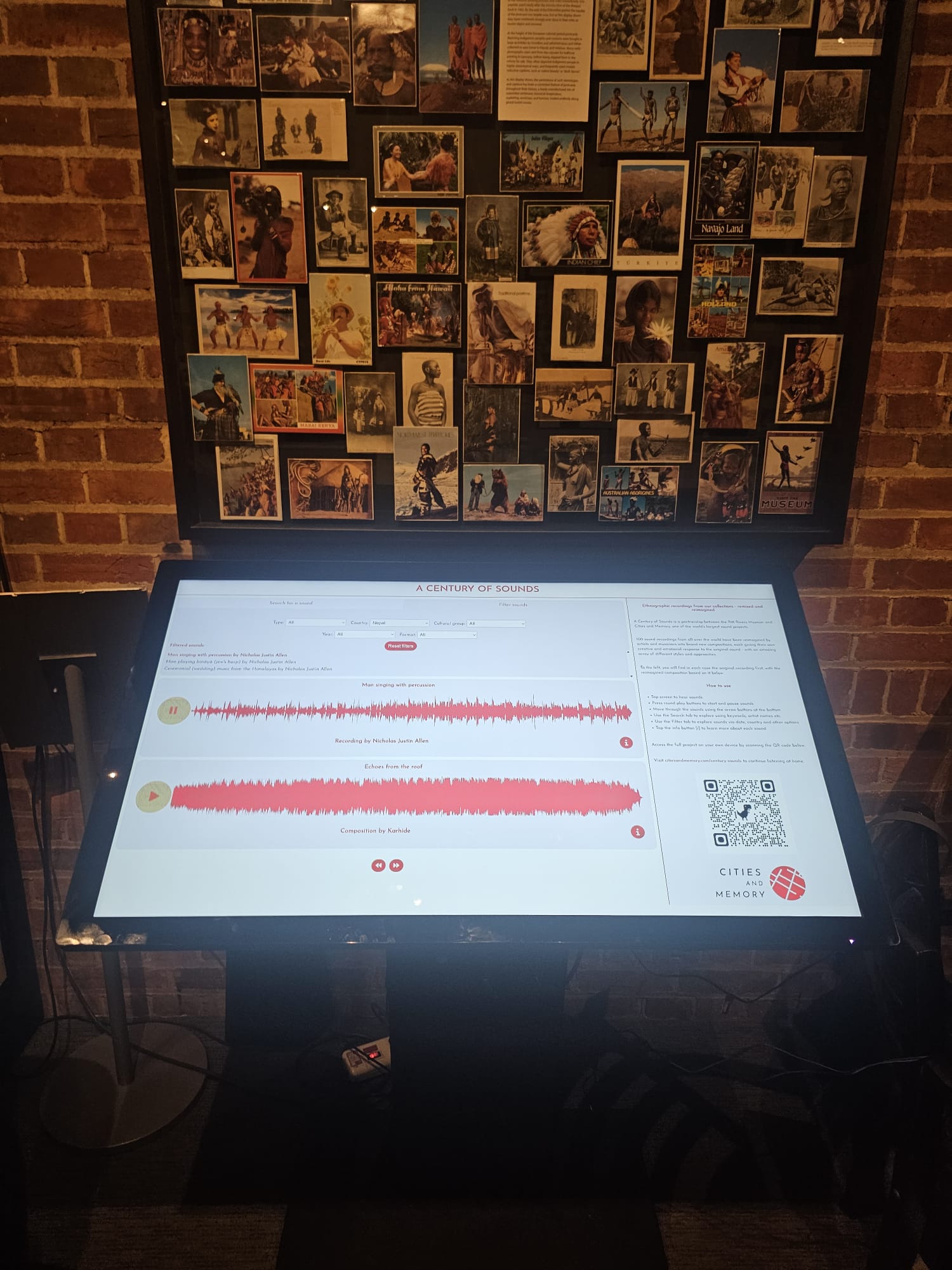
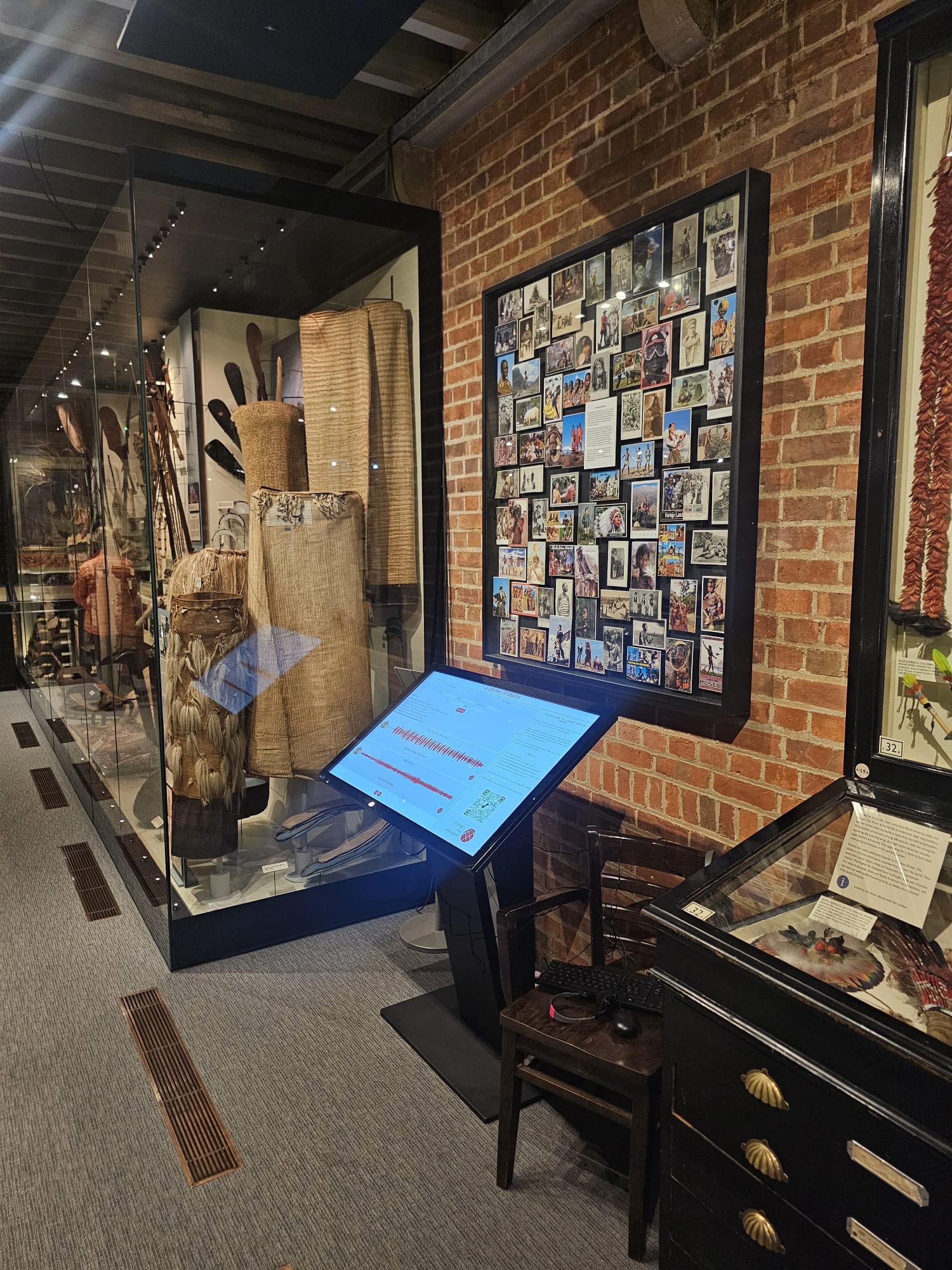
Here are some photos of the physical touchscreen kiosk installed and running at the Pitt Rivers Museum, Oxford. The interface is optimized for tactile museum interaction with large, clear hit targets and responsive offline playback:
Key Takeaways
Building for dual environments taught us that a robust frontend is one that separates its playback engine from its rendering context. By writing clean, modular JavaScript, we successfully delivered the historical sounds of a century directly to users’ living rooms, and to the bustling halls of the museum.